
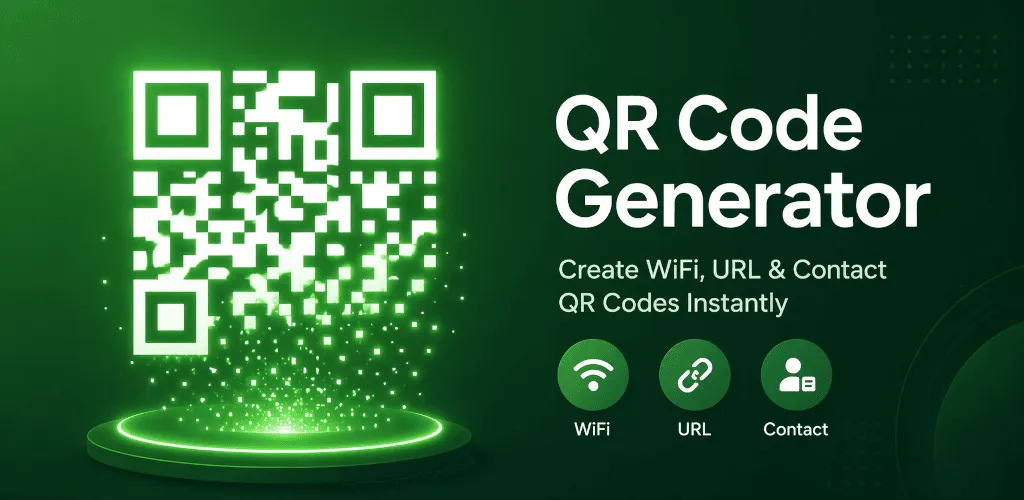
QR Code Generator - QR Creator V4.0.0 is now available. This release moves the product beyond one-off QR creation by connecting reusable visual styles, local history, multi-image scanning and Android system sharing into one clearer workflow.
The central rule has not changed: a customized QR code still has to be readable, and content arriving from another app still has to remain under the user’s control. V4 therefore pairs more design freedom with deterministic verification, and pairs deeper Android integration with an explicit confirmation step.
From one-time customization to a reusable visual system
V4 adds data-point and finder styles, two-color gradients, logo plates, saved brand colors and reusable style presets. The app also restores the most recently used style, reducing repeated setup when several codes need the same visual identity.
A style preset is deliberately different from a content template. It stores visual configuration only. QR content, Wi-Fi passwords, external image addresses and Android share sources are not placed into a preset. This separation lets a visual identity travel between projects without quietly carrying sensitive or unrelated data with it.
Readability remains a release boundary
More styling choices create more combinations that can fail in real scanners. QR Creator does not treat a code as complete merely because it looks right on screen. Before export, the app reads the generated result back through a common verification path.
If a combination is unreliable, V4 applies a predictable sequence of safer adjustments and reports what was actually used. If the adjusted result still cannot be verified, export is blocked. The product does not issue a warning and then save a code it could not read itself.
This is why the first V4 style set is intentionally bounded. The goal is useful creative control with a testable outcome, not an unlimited collection of parameters whose interaction is impossible to explain.
Favorites and two distinct ways to reuse history
Local history now supports favorites and makes two reuse actions explicit. Reuse content restores the information encoded in the QR code. Copy full configuration restores the content type and the available visual settings as well.
Older records that do not contain a full style snapshot fall back to safe defaults. Wi-Fi passwords are not restored from history, so a reused Wi-Fi entry requires the password to be entered again. The underlying history store has moved to Room through an idempotent migration designed to preserve existing records rather than silently discarding them during upgrade.
Scan several gallery images in one run
Gallery scanning is no longer limited to a single image. V4 can process up to 20 selected images, aggregate every successful result, preserve stable ordering and remove duplicates. Work is concurrency-limited so the app does not load every original image into memory at once.
Cancellation stops new work from starting. A failure in one image does not erase codes that were already recognized in another. This makes the feature practical for event posters, downloaded documents and groups of images received in a conversation while keeping partial success visible.
Bring text, links and images in through Android sharing
QR Creator V4 registers as an Android share target for supported text, links and images. A browser can send a link into the relevant editor, and an image can enter the constrained scanning flow.
Shared content never triggers generation, saving, navigation or a scan-result action automatically. It first appears in a confirmation step. This rule is applied to cold starts, warm starts and repeated shares so the back stack and the privacy boundary remain predictable.
External image URIs, original filenames and image binaries are not written into the history database. If scan history is enabled, a successfully recognized and sanitized result can be retained according to that setting.
More creation coverage, including SMS
The focused editors continue to cover text, URLs, Wi-Fi, email, phone, SMS and contacts. Finished results can be exported as 1024 × 1024 or 2048 × 2048 PNG files and shared through Android’s system interface.
The app now supports 15 locales, including Malay, and continues to support right-to-left layouts. Its minimum supported system remains Android 7.0 (API 24), while this release targets Android API 36.
Local-first boundaries still guide the product
Creation, styling, scanning and optional history remain centered on the device. Wi-Fi passwords are not written to history, style presets or recent-style state. Scanned links, calls, messages and network actions are not launched without a deliberate user choice.
V4 does not include batch QR generation, content templates, continuous camera scanning, App Shortcuts, deep links, Dynamic Color, cloud sync, dynamic QR codes or scan analytics. Keeping that boundary visible is part of making the current release understandable and supportable.
What this release taught us
Reuse is not a single button. Content, presentation, sensitive fields and system entry points need separate rules if the result is going to feel predictable. Android sharing is also more than an intent filter: confirmation, lifecycle handling, back navigation and history writes all have to follow the same contract.
That makes V4 a workflow release rather than a feature-count release. It creates a stronger foundation for people who repeatedly create and review QR codes while preserving the product’s local-first and readability-first limits.
Practical guides for these workflows
Use the focused guides when you want to complete a specific task:
- Create and save a reusable QR style preset
- Reuse QR history content or a full style
- Scan multiple QR images from your gallery
- Share text, links or images to QR Creator
- Understand QR style fallbacks
Explore the current capabilities and official Google Play or Vivimentis download options on the QR Code Generator - QR Creator product page. For product questions, contact Vivimentis Support, and review the maintained Privacy policy for the complete data-handling explanation.